
How to Draw a Programmer Step by Step
Explore step-by-step lessons for drawing a programmer. Choose a lesson and follow the illustrated stages.
Choose a lesson
Choose a drawing to view its steps or video.
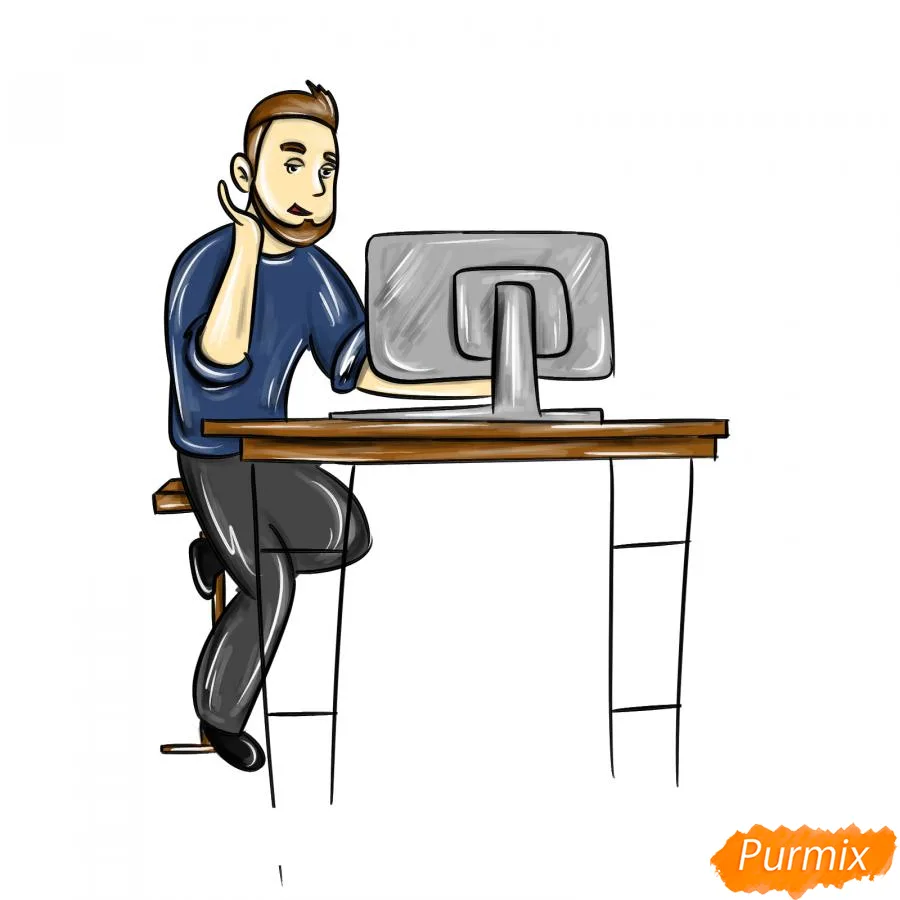
Programmer at a Computer
+0+0+69Open stepsShow less
Log in to save your marks. Log in
Step 1
Start by sketching the programmer's desk and computer in the middle of the page.
Step 2
Draw the desk legs and sketch the man sitting on a tall chair.
Step 3
Refine his hands, face and clothes. Add details to the back of the monitor.
Step 4
Draw his legs and chair, then add his facial features.
Step 5
Trace the pencil sketch with a black marker.
Step 6
Colour his skin, hair and beard with beige and brown pencils.
Step 7
Colour the computer grey and the furniture brown.
Step 8
Use black and dark blue for his clothes and shoes.
Step 9
Add depth with white and black strokes. Your programmer is finished!


Female Programmer
+0+0+09Open stepsShow less
Draw a female programmer step by step. Give the scene an office setting with a desk, chair and laptop.
Materials:
- A sheet of paper
- Coloured pencils
- A black marker
- An eraser
- A white gel pen
- An HB pencil
Log in to save your marks. Log in
Step 1
Sketch the desk and the figure behind it using simple lines.
Step 2
Begin drawing her hair and upper body.
Step 3
Add her legs and skirt. Sketch her facial features using lines and circles. Give the desk thickness with extra lines and draw a laptop on top.
Step 4
Draw a large padded office chair behind her and add her shoes.
Step 5
Refine the entire drawing, then trace the outlines with a black marker or fineliner.
Step 6
Colour the desk and chair legs brown and the upholstery pink.
Step 7
Colour her hair brown and her skin beige or pale yellow. Use red and burgundy for her mouth.
Step 8
Colour her office outfit dark turquoise or blue. Use black and grey for her shoes and laptop.
Step 9
Add depth with black and white pencils, then finish with gel pen highlights. Your drawing is complete!










 BlackPaw
Спасибо за урок!
 Iriska5
Вот как у меня получилось) Спасибо за урок! Только учусь именно в таком виде собак рисовать
 ivan2010
Спасибо круто
 Rascazum
Клевая платформа !
 ZakFoster
Огромное спасибо автору за урок :)
Comments
To leave a comment, log in or sign up.